
Help Center
Billing & Payments
How to Pay with Cryptocurrency on IPbnb
This article covers both ways to use crypto on the platform: topping up your credit balance, and paying for a subnet directly at checkout.
5
min.
Reading time
Beginner
Complexity level
Table of Contents
item
You can now pay for subnets on IPbnb with cryptocurrency. Payments are processed through Stripe, which means you never send funds to a wallet address we give you. You pay in USDC, a stablecoin pegged 1:1 to the US dollar; the payment settles in USD on our side, and you receive a standard invoice — exactly the same one you would get after paying by card.
There are two ways to use crypto on IPbnb: you can top up your credit balance in advance or pay for a specific subnet directly at checkout. In both cases, select Crypto transfer as the payment method.
What you need before you start
A verified IPbnb account with a company added. If you have not done this yet, see Account Setup and Company Verification.
A crypto wallet. Stripe supports over 400 wallets, including MetaMask, Coinbase Wallet, Binance, Trust, Phantom, OKX and Bitget. You can connect a mobile wallet by scanning a QR code, or a browser extension wallet in one click.
USDC in that wallet, on a supported network, plus a small amount of the network's native token to cover the gas fee. Supported networks for USDC payments are Tempo, Ethereum, Solana, Polygon and Base. If you hold a different cryptocurrency, you can convert it into USDC inside your wallet before paying — see below.
The network gas fee is separate from the amount on your IPbnb invoice. It is charged by the blockchain network and paid from the same wallet you use for the transaction. The fee does not go to IPbnb or Stripe, and its amount varies depending on the network and current network conditions.
What we accept, and what we do not
Accepted | USDC (a US dollar stablecoin) |
Not accepted | Bitcoin, Ether, USDT or any other cryptocurrency - swap them for USDC in your wallet first |
Direction | Incoming payments only - payouts to a crypto wallet are not available |
If you are an IP owner looking to withdraw earnings, see Payouts: How to Withdraw Your Earnings.
Why USDC only? USDC is pegged 1:1 to the US dollar. If your invoice is $81.00, the payment amount is 81.00 USDC. There is no crypto-to-fiat conversion at checkout, so the invoice amount does not change while the transaction is being processed. Keep in mind that your wallet will also charge the applicable blockchain network gas fee separately.
Holding something else? That is not a problem. Most major wallets and exchanges - Binance, Coinbase, Trust, MetaMask and others - let you swap what you already hold into USDC in a few taps, and many let you buy USDC directly with a card or bank transfer. Do the swap before you start the payment, make sure the USDC lands on one of the supported networks — Tempo, Ethereum, Solana, Polygon or Base — then come back and pay as usual. Exchange rates and swap fees are set by your wallet or exchange, not by IPbnb.
Two ways to pay with crypto
Top up your credit balance | Pay for a subnet directly | |
Best for | Funding your account in advance, covering several months of rent at once | A one-off payment for a specific subnet |
Where it starts | The Top Up link next to your credit balance, or the Cart page | The Checkout window in your cart |
Result | Funds sit on your credit balance and are used automatically for rent | The subnet is paid for immediately |
You do not have to start from checkout to pay with crypto. You can either add funds to your IPbnb credit balance first or select Crypto transfer while paying for a specific subnet at checkout. Both routes finish in the same place: a Stripe payment page where you connect your wallet.
For how the credit balance is used for recurring rent, see How Billing Works on IPbnb.
Option 1: Top up your credit balance with crypto
Step 1. Open the top-up window.
Click Top Up next to your credit balance in the left sidebar. The same window is available from your cart, under Order totals.
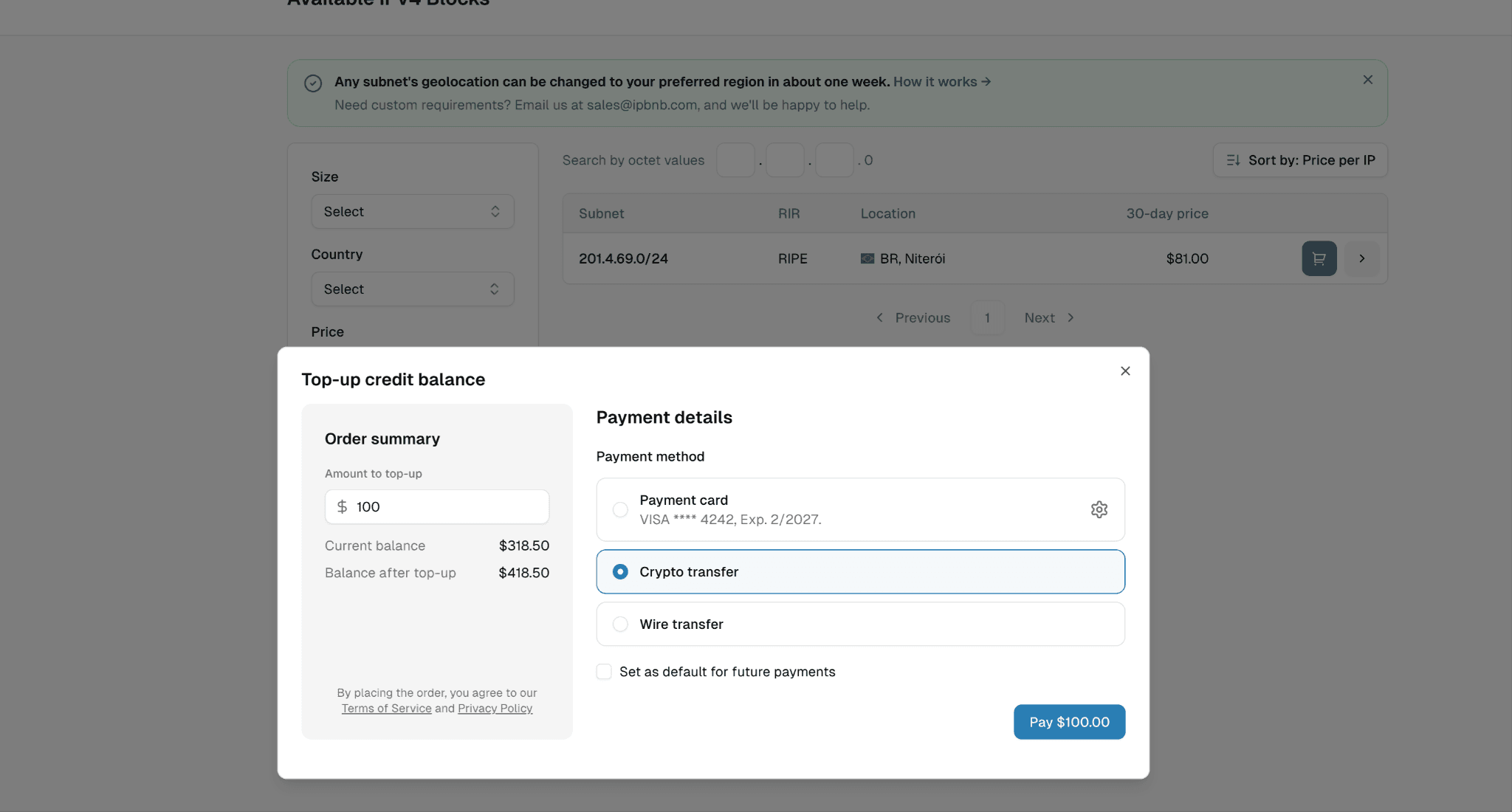
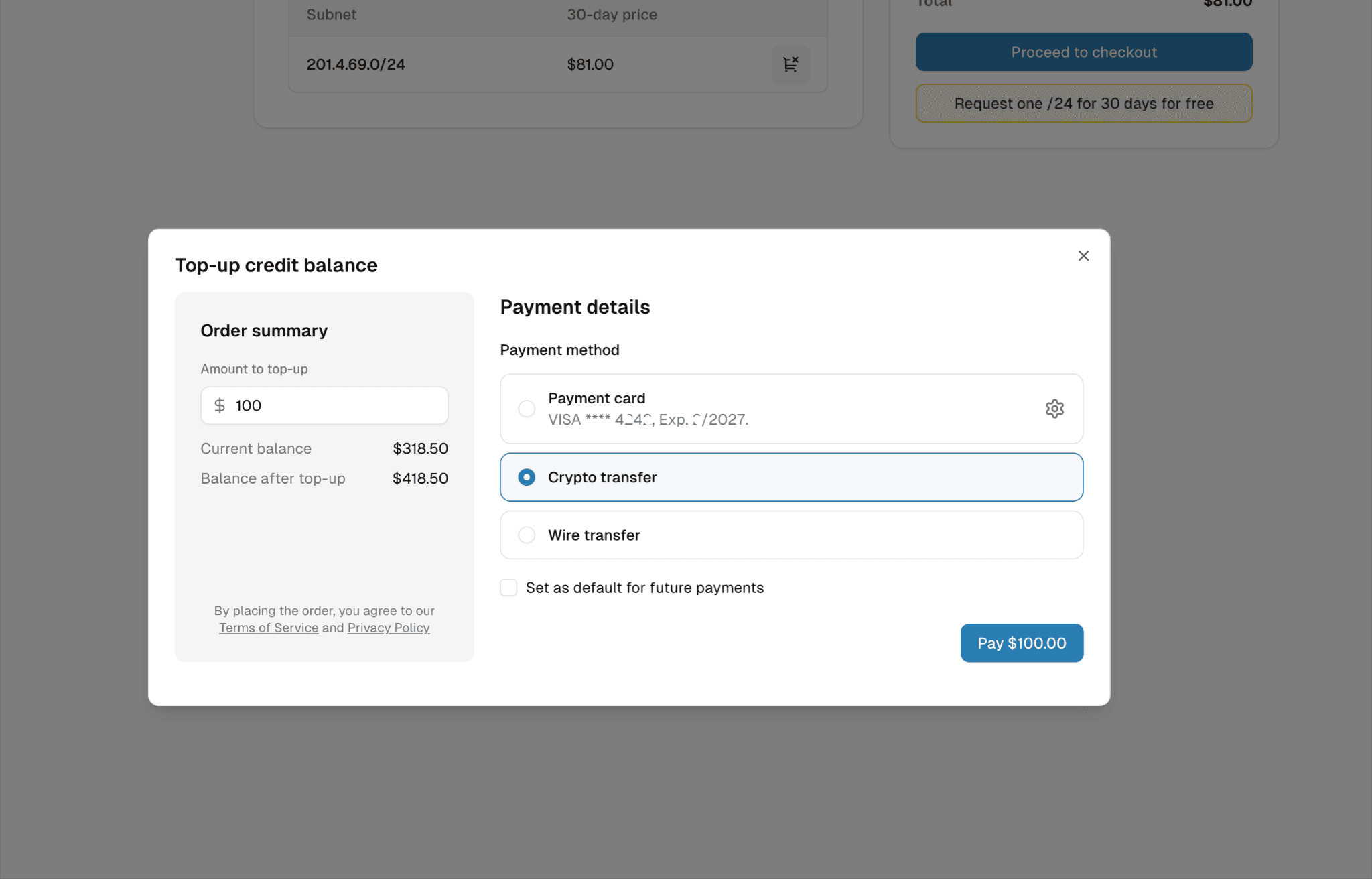
Step 2. Enter the amount and choose Crypto transfer.
Type the amount you want to add. The window shows your current balance and what it will be after the top-up, so you can check the numbers before paying. Select Crypto transfer as the payment method.
If you want crypto to be pre-selected next time, tick Set as default for future payments.
Click Pay.
Step 3. Confirm the payment details.
Your wallet shows the payment amount in USDC, your USDC balance and the network in use. Make sure you are using one of the supported networks: Tempo, Ethereum, Solana, Polygon or Base. Check that the payment amount matches your invoice, then confirm.
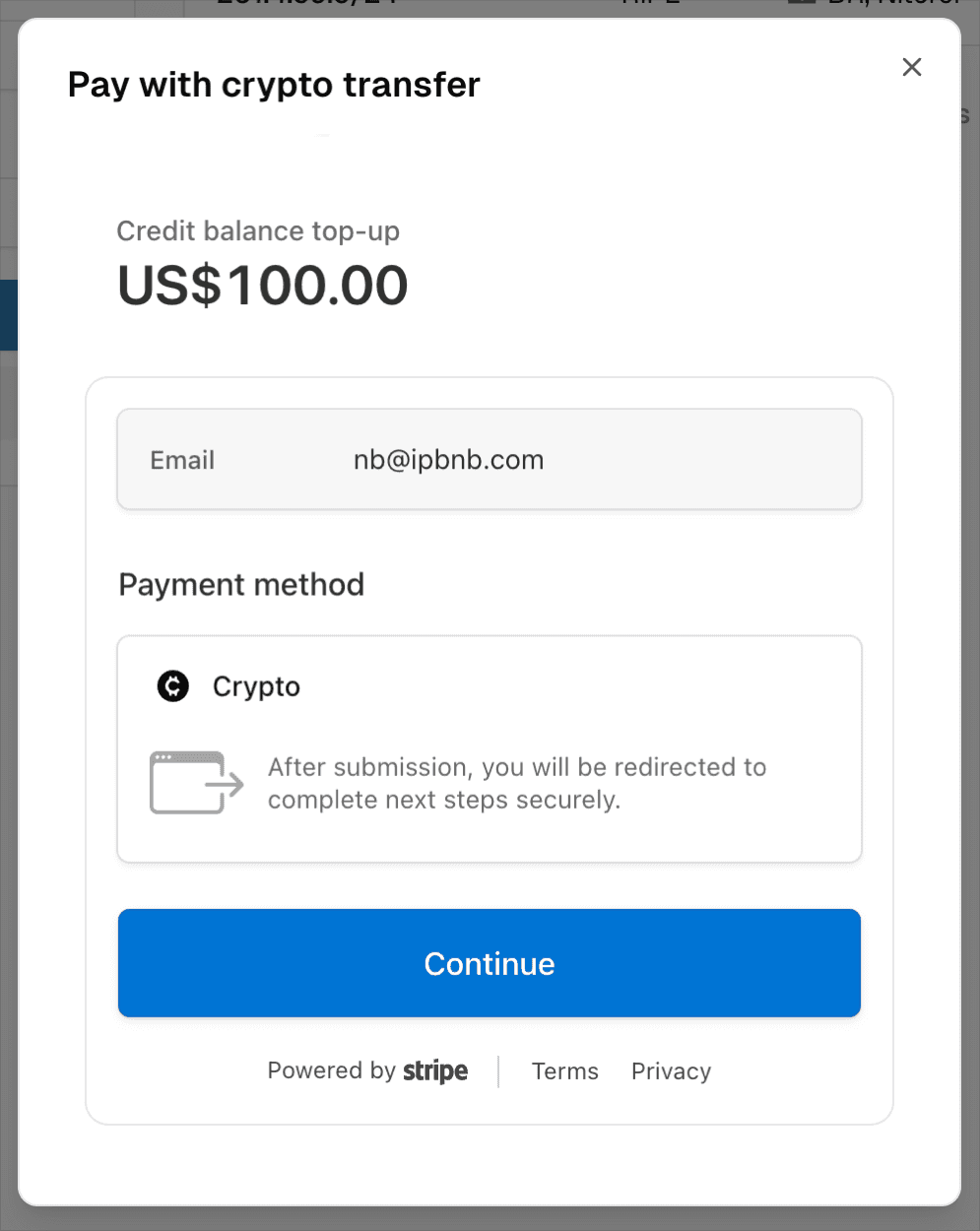
Your wallet also charges a network gas fee. This is separate from the USDC amount on your invoice and is paid from the same wallet. The fee goes to the blockchain network — not to IPbnb or Stripe — and can vary depending on the network and current network conditions.
Option 2: Pay for a subnet directly with crypto
Step 1. Add a subnet to your cart and open the checkout.
Browse the IP Catalog, add the block you want, and click Proceed to checkout. For the full leasing walkthrough, see How to Lease, Use, and Manage Subnets on IPbnb.
Step 2. Select Crypto transfer.
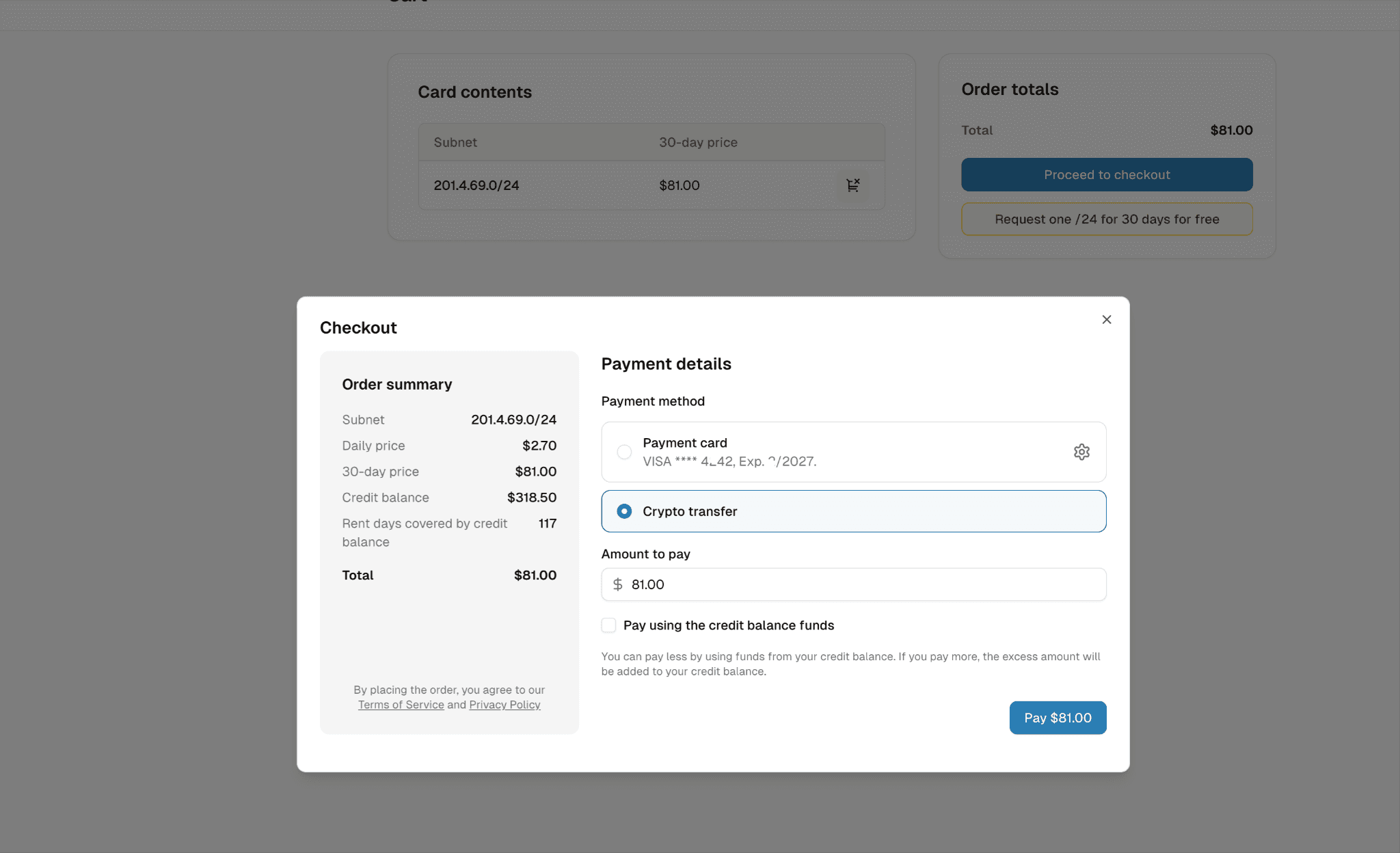
The Order summary on the left shows the daily price, the 30-day price, your current credit balance, and how many days of rent that balance already covers.
Step 3. Decide how much to pay in crypto.
The Amount to pay field is editable, and this is where the checkout is more flexible than it looks:
Pay the full amount in crypto. Leave the amount as it is. Your credit balance stays untouched.
Pay part in crypto, part from your balance. Tick Pay using the credit balance funds and lower the amount. The rest is taken from your credit balance.
Pay more than the invoice. Enter a larger amount. The excess is added to your credit balance and used for future rent.
Click Pay.
Step 4. Confirm the payment details.
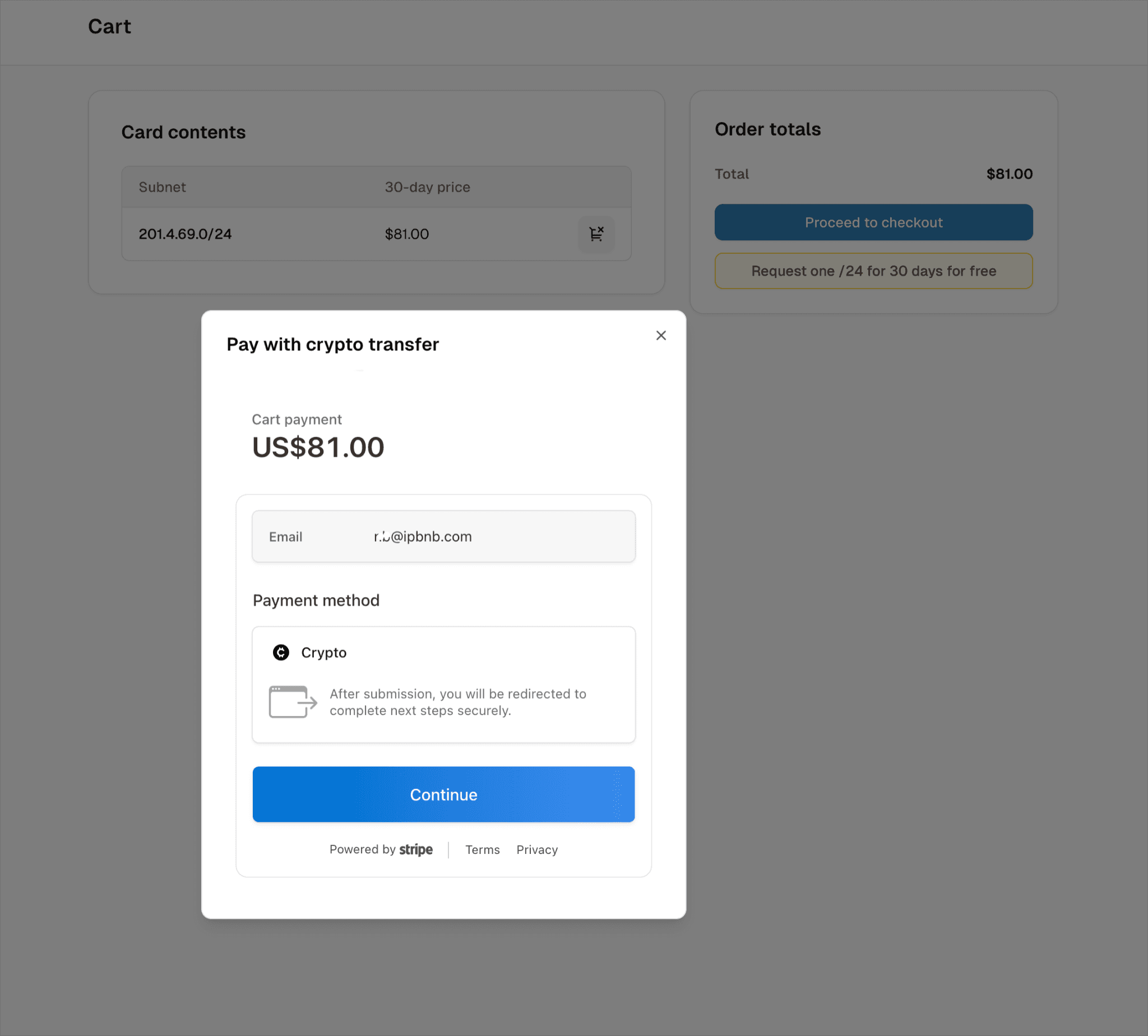
Check the amount and your email, then click Continue to go to Stripe.
Tip. If you would rather keep a working balance on the platform than pay for each block separately, top up from the same Cart page using the Top Up link, then pay from your balance.
Completing the payment on Stripe
From this point the process is identical for both routes.
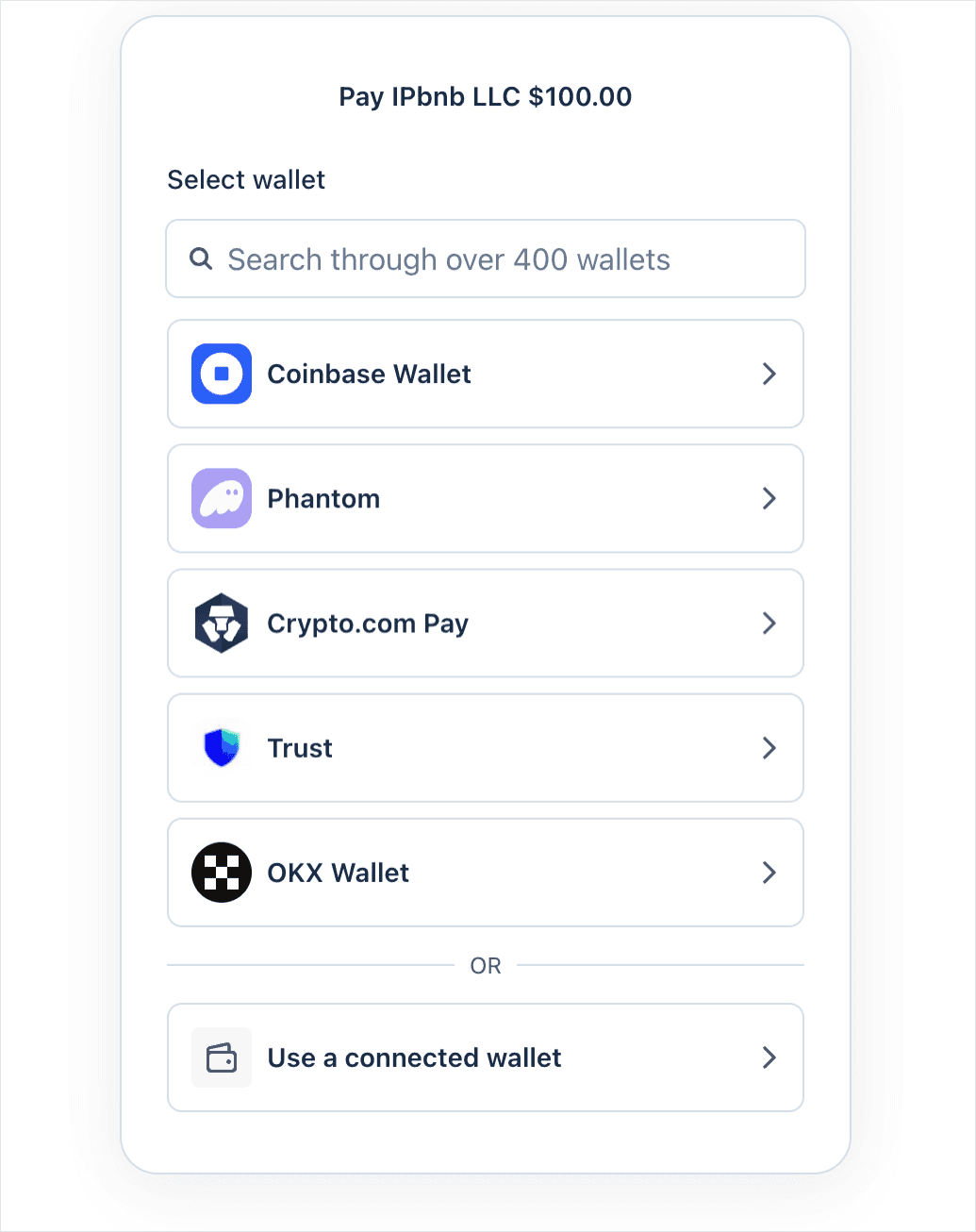
Step 1. Choose your wallet.
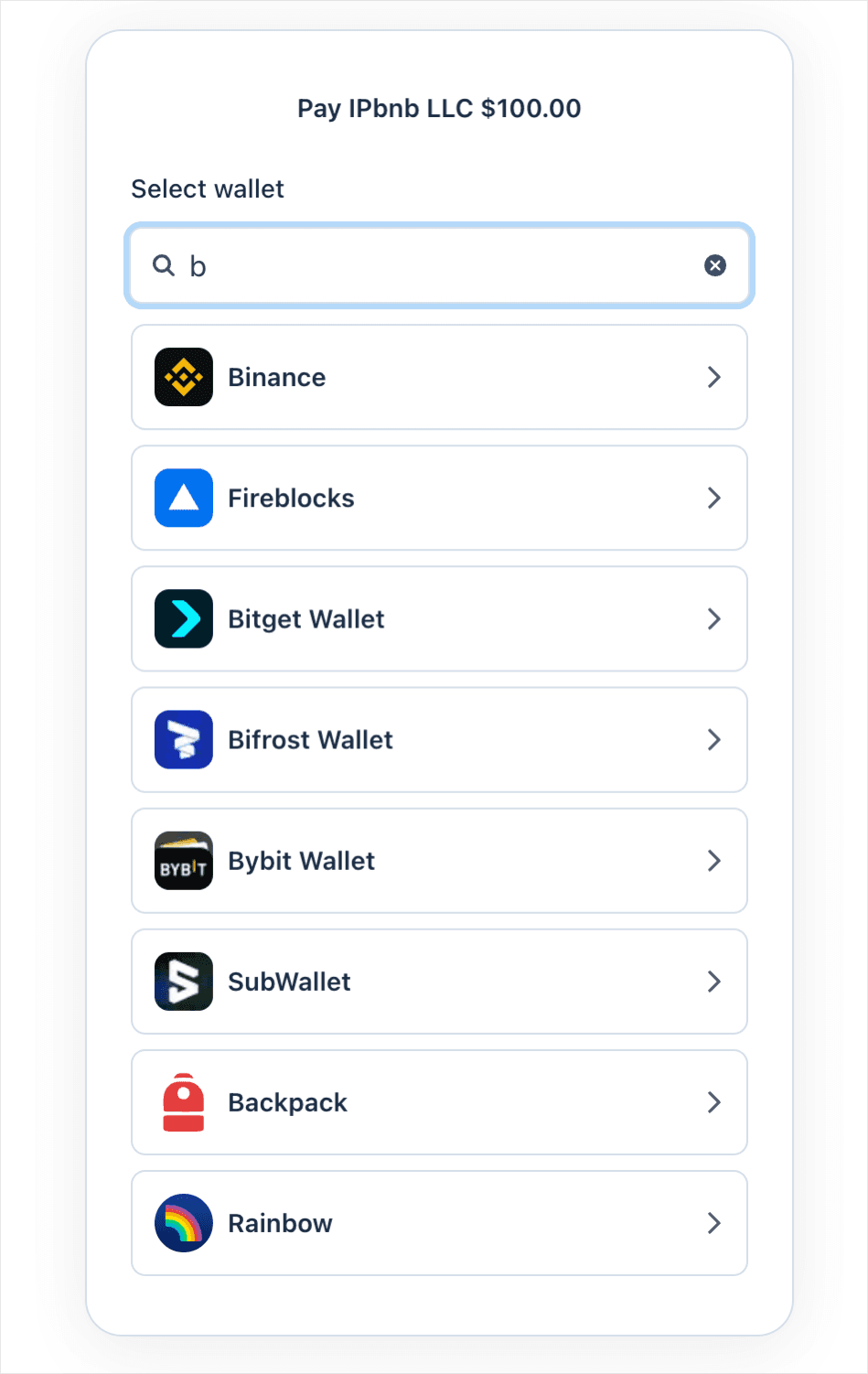
Stripe shows the most common wallets first and lets you search through more than 400 others. If your wallet is already connected in your browser, use Use a connected wallet.
Start typing to find your wallet - for example, Binance, Bybit or Bitget.
Step 2. Connect the wallet.
For a mobile wallet, scan the QR code with the wallet app or your phone's camera.
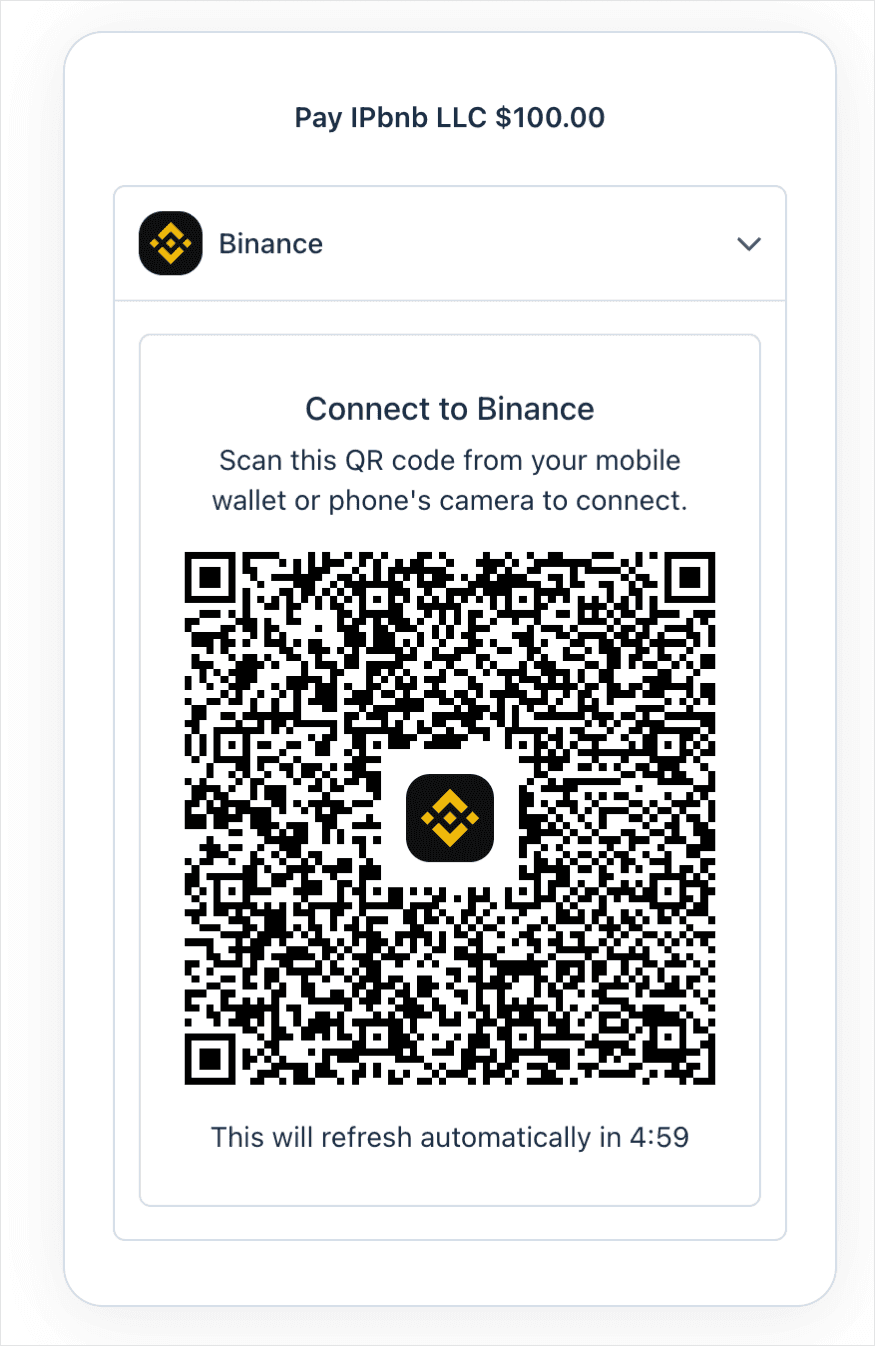
The QR code refreshes every five minutes for security. If it expires before you scan it, a new one is generated automatically - just scan again.
For a browser extension wallet, approve the connection request in the extension window instead.
Step 3. Confirm the amount and pay.
Your wallet shows the payment amount in USDC, your USDC balance and the network in use. Check that the amount matches your invoice, then confirm.
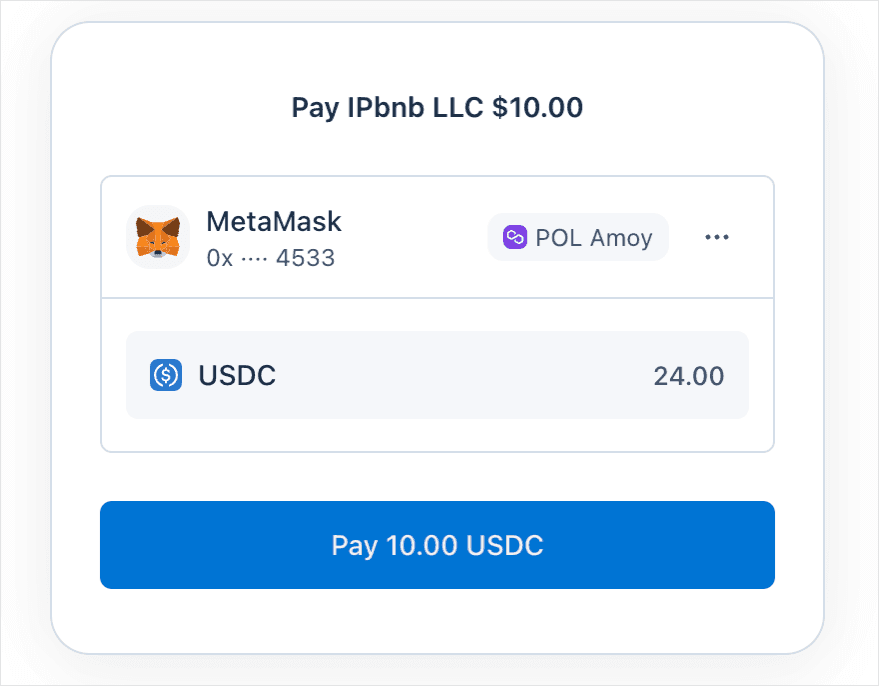
You also pay a small network gas fee from the same wallet. This fee goes to the blockchain network, not to IPbnb or Stripe.
Step 4. Done.
Once the transaction confirms on the network, you are returned to IPbnb. A top-up appears on your credit balance, and a direct payment activates your subnet.
Your invoice is available in the Billing section, the same as for card and wire payments.
Frequently asked questions
Can I pay in Bitcoin, Ether or USDT?
Not directly. USDC is the only cryptocurrency accepted. It is pegged 1:1 to the US dollar, which lets IPbnb keep the payment amount aligned with the USD-denominated invoice without converting cryptocurrency at checkout. If you hold something else, swap it for USDC in your wallet or on your exchange first, then pay as usual.
Which networks can I use for USDC payments?
IPbnb's Stripe crypto payment flow supports USDC on Tempo, Ethereum, Solana, Polygon and Base. Make sure your USDC is on one of these networks before starting the payment. Network gas fees vary, so the total amount charged by your wallet may differ slightly depending on the network you use.
Do I need to send funds to a wallet address you provide?
No. You connect your own wallet to Stripe's payment page and approve the transaction there. IPbnb never asks you to transfer funds to an address manually - if you receive such a request, contact us through our support page.
Do you charge extra for paying in crypto?
IPbnb does not charge an additional crypto payment fee. However, you need to pay the blockchain network gas fee from your wallet. This fee is charged by the network, not by IPbnb or Stripe, and its amount depends on the network and current network conditions.
Can I receive my earnings as an IP owner in crypto?
Not yet. Payouts are currently made by wire transfer or as a credit balance top-up. See Payouts: How to Withdraw Your Earnings.
Related articles
Still stuck? Contact support and we will walk you through it.
Related articles