
Help Center
Billing & Payments
Payouts: How to Withdraw Your Earnings
Withdraw your IPv4 leasing earnings to a bank account or your Credit Balance.
4
min.
Reading time
Beginner
Complexity level
Table of Contents
item
When you lease your IP blocks through IPbnb, the platform tracks how many addresses are under lease and calculates what you earn each day. At the end of the month it totals those earnings and deducts IPbnb's platform commission. What's left is yours to withdraw. For how earnings, invoices, and commission fit together, see Billing on IPbnb.
A payout moves that money out of IPbnb. Setting one up means answering three questions:
Where does the money go - your bank account or your IPbnb Credit Balance?
When does it go - on demand, on a schedule, or when your balance hits a set amount?
How is it sent - which payout method carries it?
This article covers each in turn.
Before you start
Listing and leasing blocks requires a registered company on IPbnb. See Registering your company.
Payouts are invoice-based: each withdrawal covers one month's earnings and matches a single self-billing invoice, so you can't withdraw an arbitrary amount. This is standard practice across IPv4 leasing platforms.
Everything below lives in Billing > Payouts.
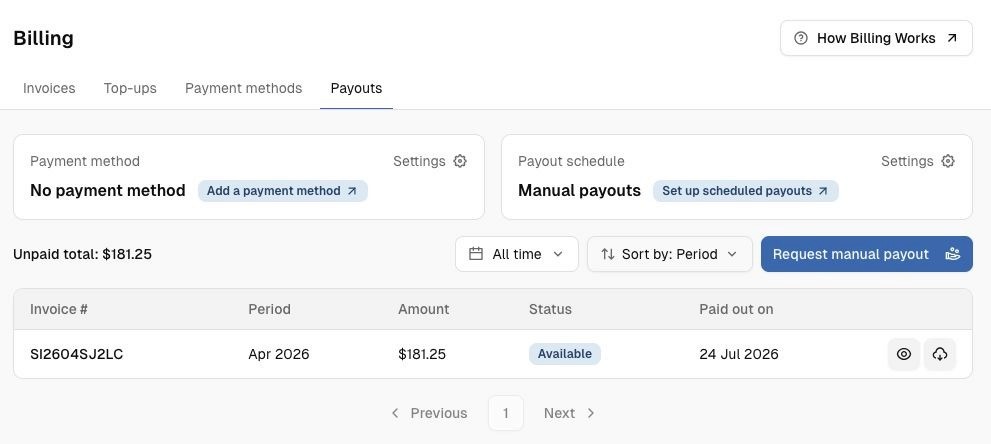
Billing > Payouts view for an account with no payouts yet:
1. Where your earnings can go
You have two destinations.
Destination | Fee | What you can do with it |
Bank account (by Wire Transfer) | $25 bank fee, no platform fee | Move earnings out of IPbnb to the bank details you provide |
IPbnb Credit Balance | Free | Spend on the platform - for example, to lease blocks yourself |
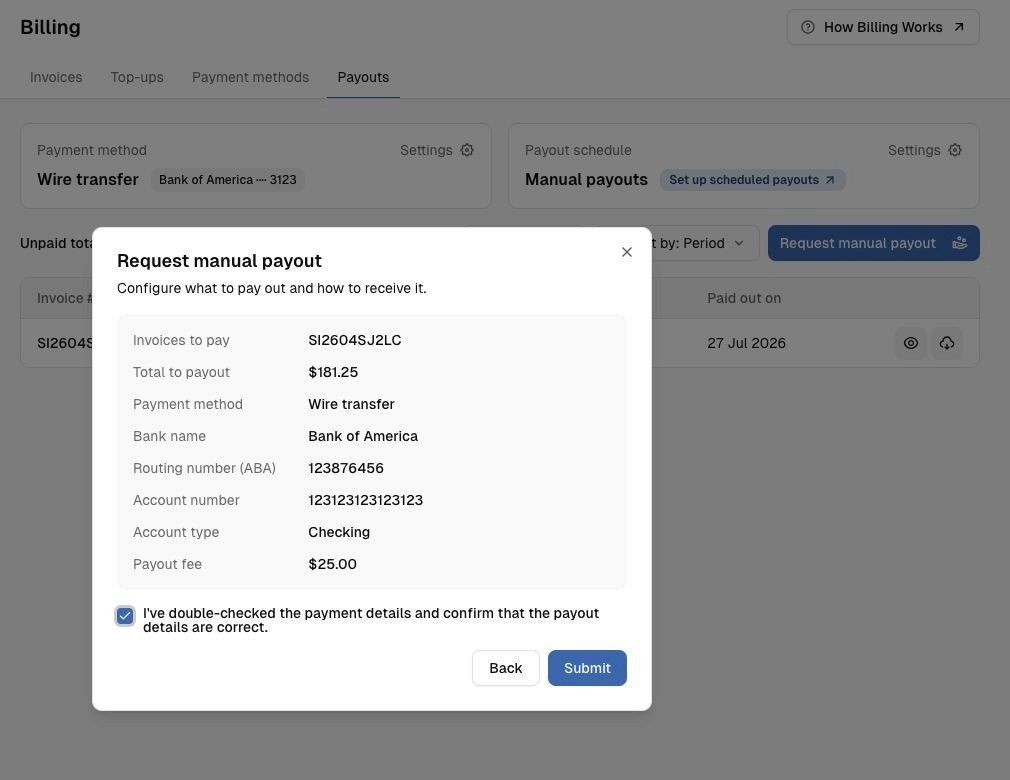
IPbnb's commission comes out of your earnings, not out of the payout - there's no extra platform fee for withdrawing. The $25 on a wire transfer is the bank's fee, and it's shown on screen before you confirm.
Payouts are sent to the bank details you provide. You are responsible for the accuracy of these details and for ensuring the payment instruction is lawful under the rules that apply to you. We may request confirmation before processing a payout.
2. When you get paid
Once your payout details are saved, payouts can run on their own - you only step in when you want to.
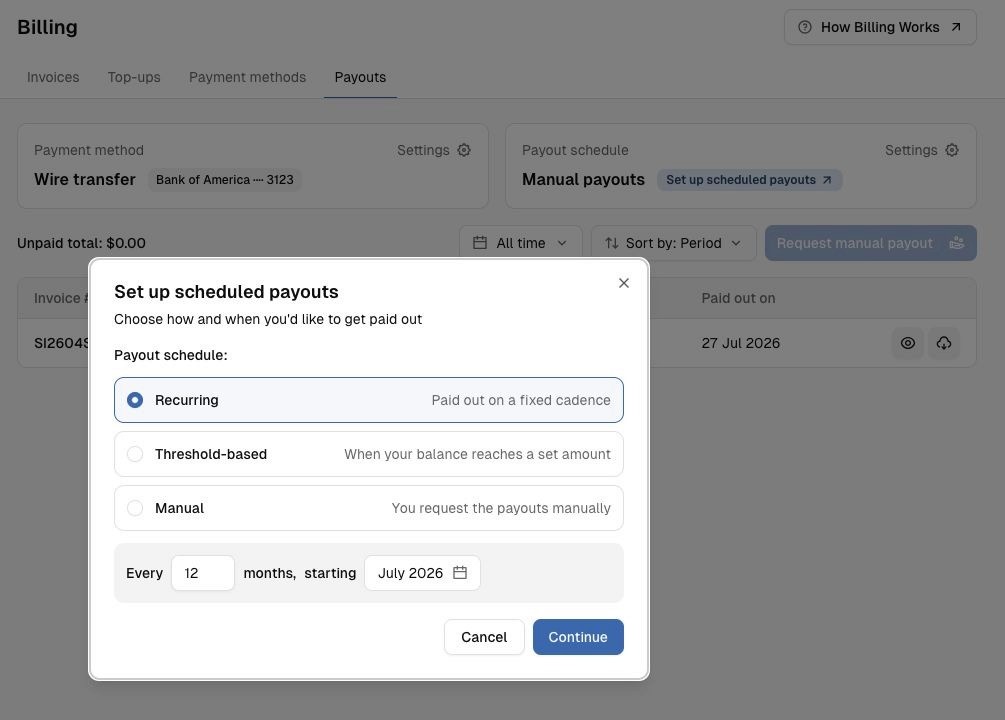
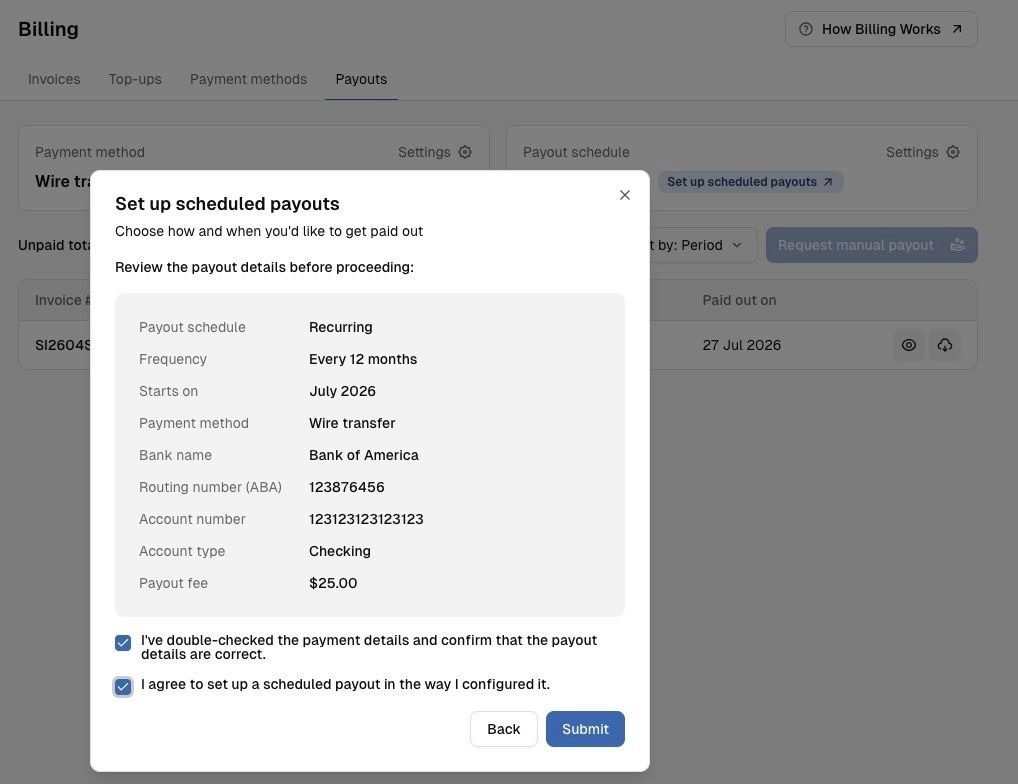
Recurring payouts (by schedule)
Best if your earnings are steady and you want money moving on a predictable cycle.
In Payouts, choose Recurring payments.
Confirm the cycle - monthly, every two months, or longer.
Your automation settings appear on the Payouts page.
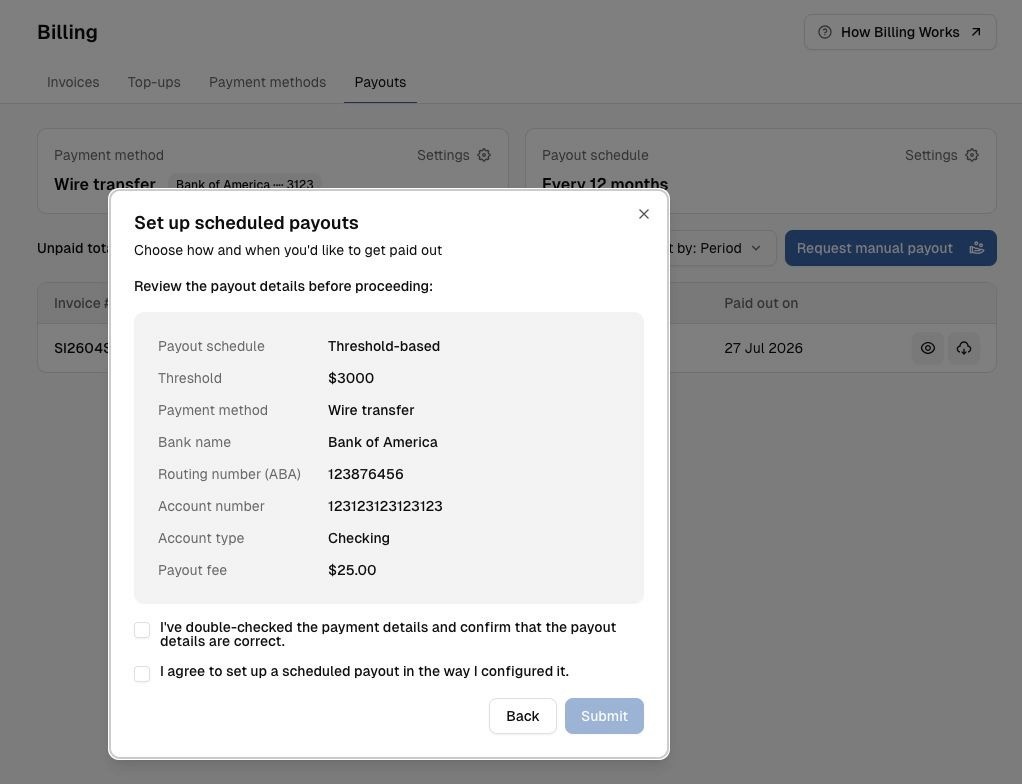
Threshold-based payouts (by balance)
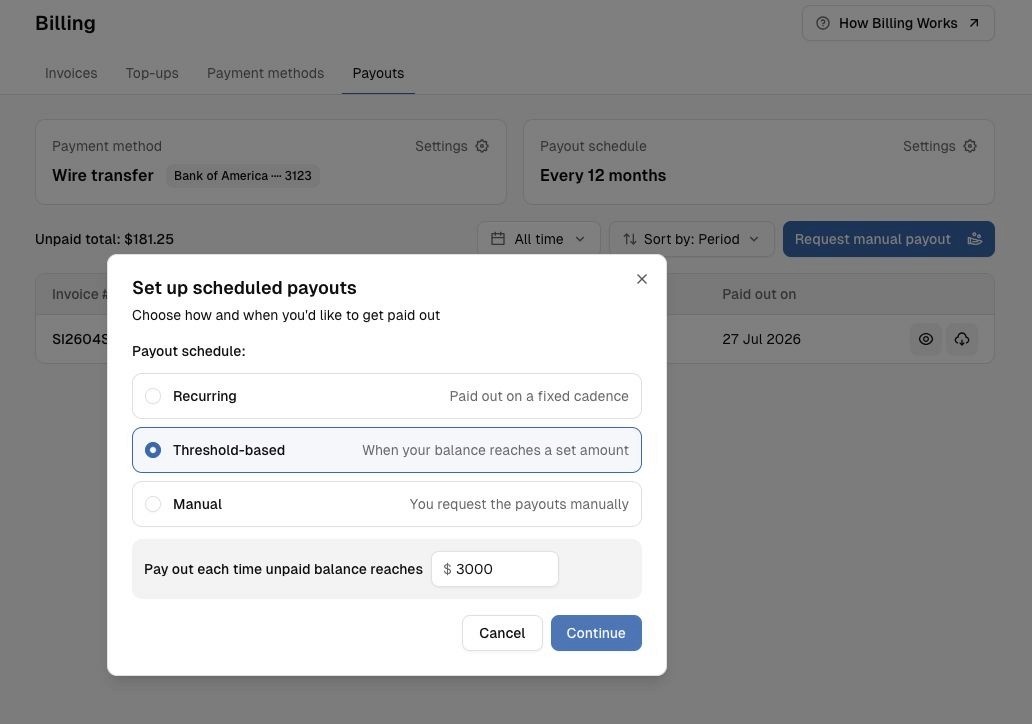
Best if you'd rather let earnings build up and withdraw only once the amount is worth the bank fee.
In Payouts, choose Threshold-based payments.
Set your threshold - the balance amount that triggers an automatic payout.
Manual payouts (you decide when)
Manual is what you get when you set no rule: you trigger each payout yourself. Use it for one-off withdrawals, or as your only method if you'd rather keep every payout a deliberate decision.
Open Billing in your account.
Go to Payouts.
Click Request manual payout.
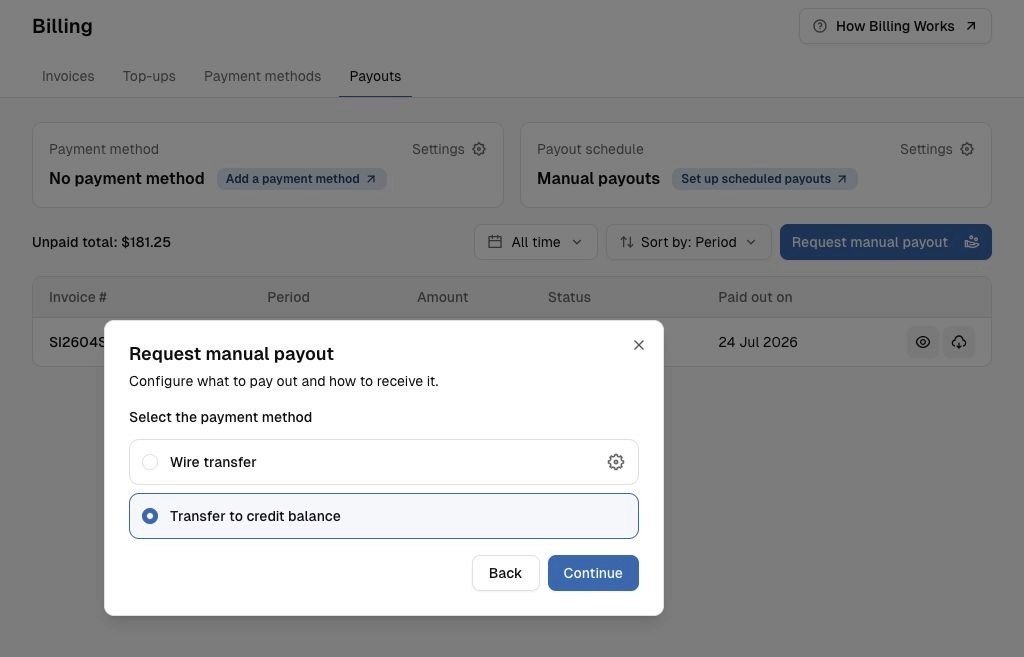
Select the invoice you want to withdraw against, then click Continue.
Choose where the money goes:
Transfer to credit balance - free, and the funds are available on the platform straight away.
Wire Transfer - sends the money to the bank details on your saved template. If this is your first withdrawal, you'll enter those details here. See the next section.
Review the details and confirm.
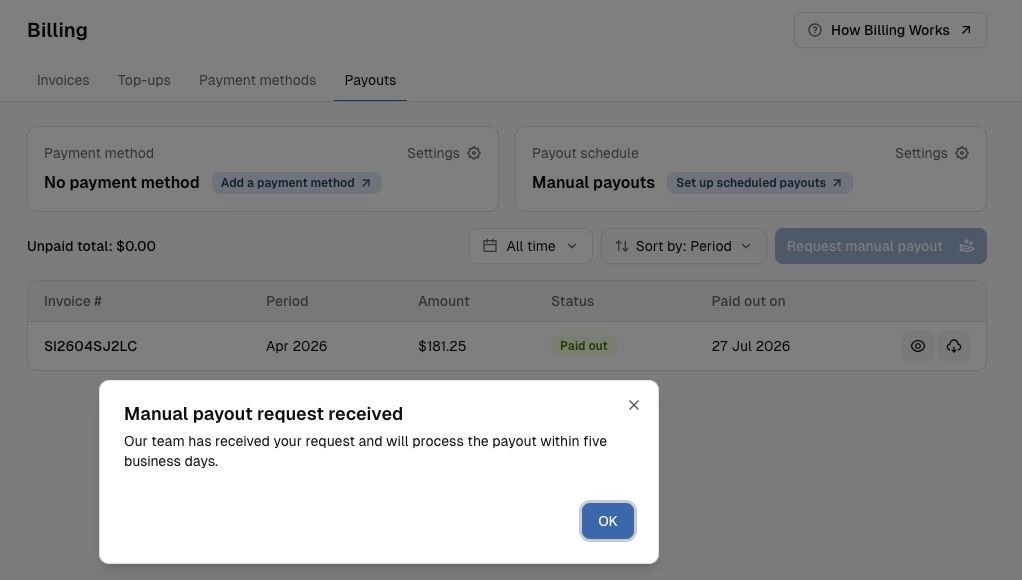
You'll see a confirmation screen once the transfer goes through.
Credit Balance confirmation:

3. Setting up your payout method
Transfers to your Credit Balance need no setup - the money never leaves IPbnb.
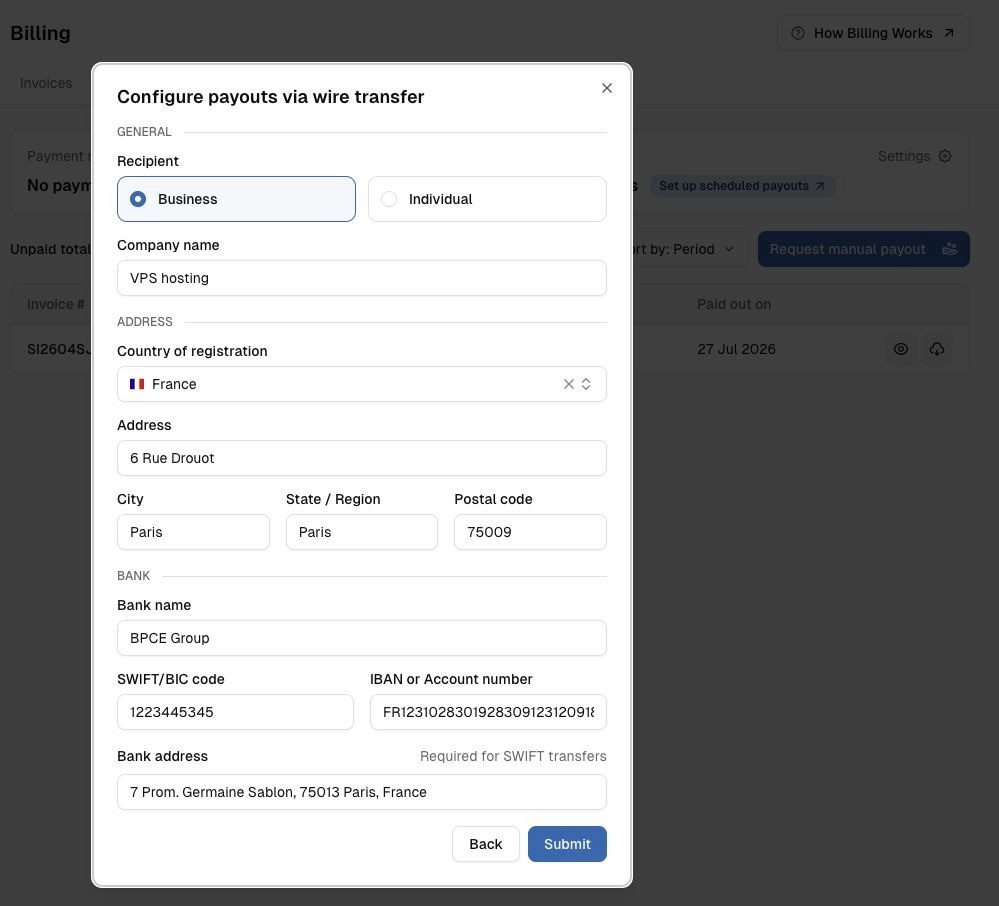
To send money to a bank, enter your bank details once and save them as a payment template. The template is also what makes automation work: without one, a scheduled or threshold-based payout has no details to send to.
Start a payout and choose Wire Transfer as the method.
Select the account type that matches the bank details you're entering.
Fill in the required fields. Enter all bank details in Latin characters only.
Save the details as a template so you don't have to re-enter them.
Business bank details form
Bank details form - individual:

The $25 bank fee is shown at this step, before you confirm the transfer:
Wire Transfer is currently the only way to move money out to an external account. Support for further payout methods is planned.
Related articles
Billing on IPbnb - how invoices, earnings, and commission work
Related articles